Introduction
The Internet is like a complex postal system for data. Each time you visit a website, your computer follows a series of steps to request and retrieve the resources needed to display the page. In this reading, we’ll break down how all the parts of the Internet work together to handle these requests.
Step 1: Making a Request
The process begins when you type a URL into your browser and hit "Enter." Your computer opens a port (e.g., port 80 for HTTP or port 443 for HTTPS) to establish a connection with the web server hosting the website’s resources.
Analogy: Think of this as opening your mailbox to send a letter. The port is the opening through which data flows.
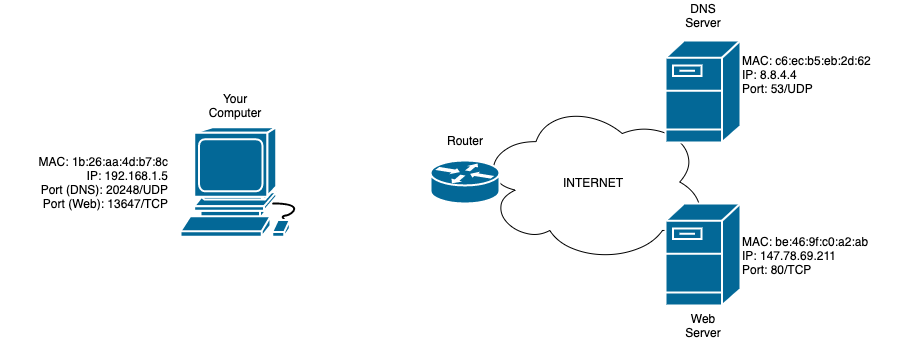
Step 2: DNS (Domain Name System)
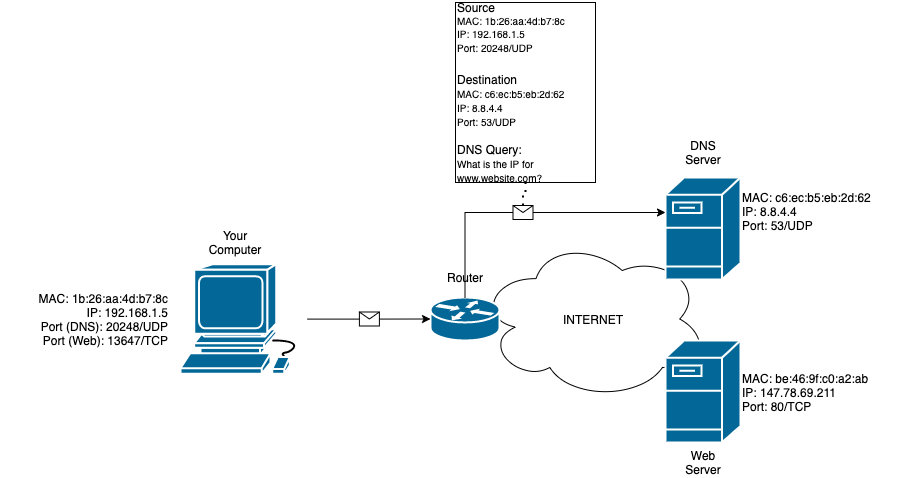
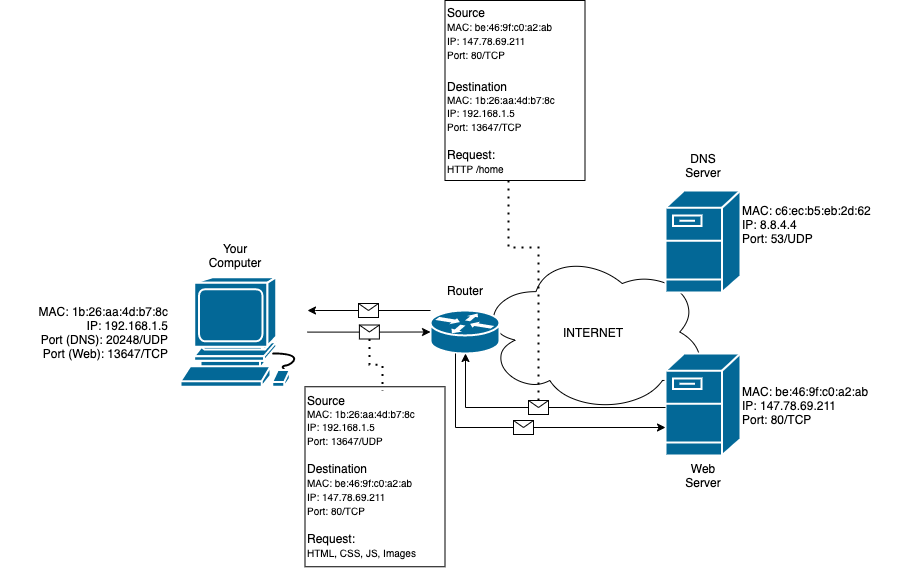
Your computer doesn’t know the IP address of the website you’re trying to visit, so it queries a DNS server to find it. This happens over a UDP connection, where your computer sends a packet containing:
- Your computer's IP address.
- The DNS server's IP address.
- Your MAC address and the DNS server's MAC address.
- A randomly assigned source port (from your computer) and destination port 53 (on the DNS server).
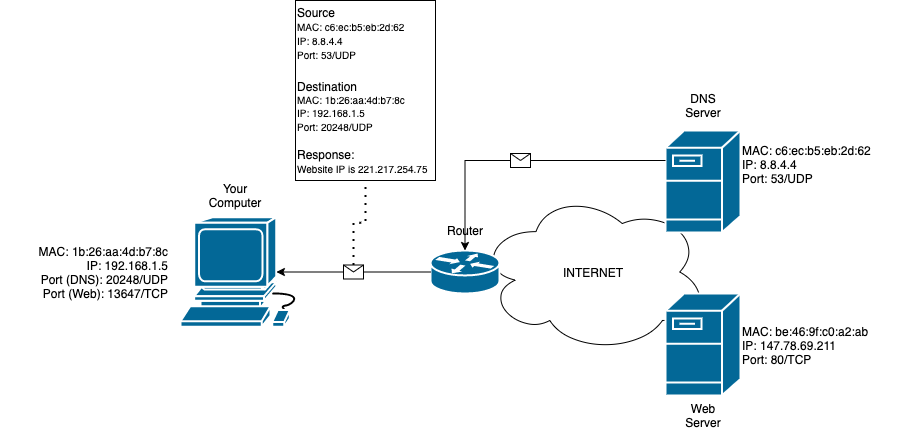
The DNS server responds with the IP address of the web server, which your computer saves in its DNS cache for future use.
Step 3: Establishing the Connection
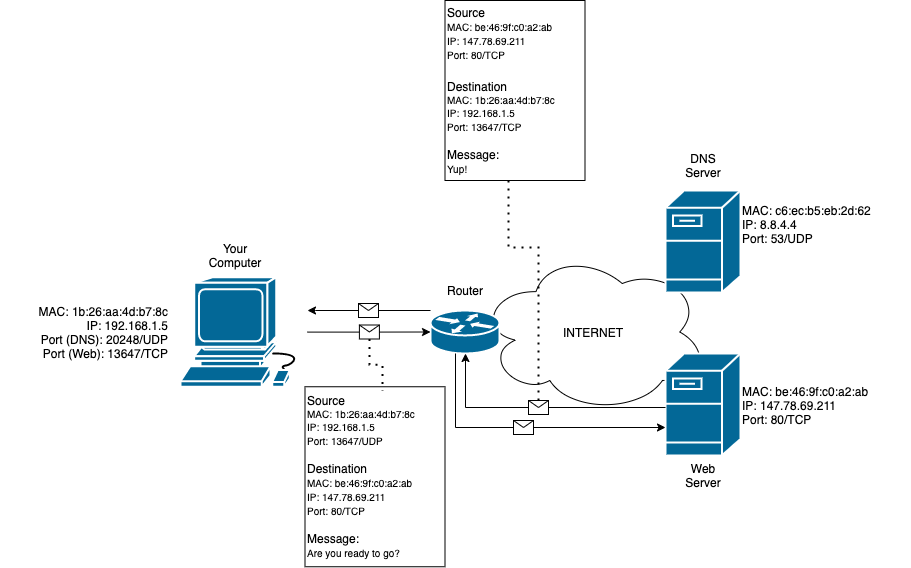
With the web server's IP address in hand, your computer initiates a connection using a process called the three-way handshake:
- Your computer sends a SYN (synchronize) packet to the server.
- The server responds with a SYN-ACK (synchronize-acknowledge) packet.
- Your computer sends an ACK (acknowledge) packet to complete the handshake.
This handshake establishes a session between your computer and the web server, allowing data to flow smoothly.
Analogy: This is like agreeing to a phone call: you say "hello," the other person responds, and you confirm you're ready to talk.
Step 4: Requesting and Receiving Data
Once the session is established, your browser begins sending HTTP requests to the web server. These requests ask for web pages and other assets (e.g., images, CSS, JavaScript files). The server responds with the requested data, which your browser uses to render the website.
When you’re done browsing, the session is closed to free up resources.
Analogy: This is like ordering items from a catalog. You send in a list of what you want (HTTP requests), and the company ships you the items (server responses).
Key Takeaways
- Your computer opens a port to initiate communication with the web server.
- The DNS system translates domain names into IP addresses to locate servers.
- The three-way handshake establishes a reliable connection between your computer and the server.
- HTTP requests retrieve the resources needed to display the website.
- When you’re done browsing, the session is closed to conserve resources.
By understanding these steps, you can better appreciate how the Internet functions and troubleshoot issues when something goes wrong.